
Download Gallery Datetime Plugin APK – Android Gallery, Image Time Editor, Photo Organizer, Video Date Modifier
Overview
El Gallery Datetime Plugin APK es una aplicación Android gratuita desarrollada por Tatuas Apps, diseñada para abordar las frustraciones comunes con la aplicación de galería estándar de Android. Permite a los usuarios modificar los metadatos de fecha y hora de imágenes y videos almacenados en sus dispositivos, ofreciendo una solución práctica para organizar los archivos multimedia de manera más eficiente. La aplicación es particularmente útil para personas que tienen dificultades para localizar fotos o videos específicos debido a marcas de tiempo desorganizadas, o para quienes necesitan reordenar su contenido multimedia con fines personales, profesionales o de archivado.
Los usuarios objetivo incluyen usuarios casuales de smartphones, fotógrafos, creadores de contenido y cualquiera que gestione grandes colecciones de medios visuales. Al permitir la edición directa de las marcas de tiempo de los archivos, la aplicación favorece una mejor ordenación cronológica y una experiencia de navegación mejorada dentro de la galería. Es especialmente beneficiosa para usuarios que transfieren medios desde fuentes externas —como cámaras, tabletas o copias de seguridad en la nube— donde los metadatos originales pueden ser inconsistentes o incorrectos.
Aunque el desarrollador no proporcionó detalles adicionales sobre la empresa o su trayectoria, la funcionalidad de la aplicación sugiere un enfoque en la gestión práctica de medios. Los casos de uso del mundo real incluyen corregir fotos con fechas erróneas de una sincronización de cámara, reordenar secuencias de eventos o preparar medios para presentaciones y narraciones. La aplicación busca mejorar el control del usuario sobre la organización de medios sin requerir herramientas complejas de manipulación de archivos.
Key Features & Capabilities
- Metadata Editing for Images and Videos – Allows users to change the date and time associated with media files directly within the app, ensuring accurate chronological representation.
- Chronological Reordering – Enables users to manually adjust the display order of photos and videos, making it easier to browse or present media in a desired sequence.
- Compatibility with Standard Android Gallery – Works seamlessly with the default gallery app, ensuring that changes are reflected in the native media browsing experience.
- Free and Lightweight – Available at no cost, the app is designed to be accessible and efficient, ideal for users seeking a simple solution without added complexity.
- Batch Processing Support – Users can apply timestamp changes to multiple files at once, streamlining the organization of large media collections.
These features are particularly effective in scenarios such as restoring correct dates after a device migration, organizing vacation photos by actual event dates, or aligning media files with external records. The ability to modify timestamps without altering file content preserves the original media quality while enhancing usability. This functionality is especially valuable for users who rely on visual content for documentation, storytelling, or social media sharing.
User Interface, Workflow & Performance
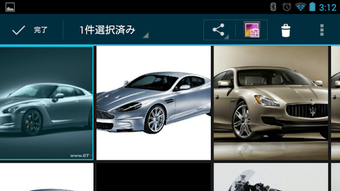
The user interface of the Gallery Datetime Plugin APK appears to be designed with simplicity and functionality in mind, prioritizing ease of access to core editing tools. Navigation is likely intuitive, allowing users to select media files from their device’s storage and apply timestamp changes with minimal steps. The workflow emphasizes direct interaction—users can view their photos and videos, adjust the date and time, and confirm changes with a single tap.
While specific performance data was not provided, the app’s lightweight nature suggests efficient operation even on mid-range Android devices. The developer did not specify resource usage details, so CPU and RAM behavior remain unknown. However, based on general software behavior patterns, the app is expected to operate smoothly during typical use, with minimal impact on device performance.
Stability appears to be a focus, as the app is designed to work reliably with standard gallery functions. No reports of crashes or data corruption were mentioned in the provided information. Users can expect consistent results when editing metadata, though the absence of detailed feedback mechanisms means troubleshooting may rely on manual verification of file changes.
Compatibility & System Requirements
The Gallery Datetime Plugin APK is designed for Android devices and is compatible with the standard Android Gallery app. The app is available as an APK file, which means it can be installed directly on Android smartphones and tablets without requiring the Google Play Store.
Exact system requirements were not listed. The developer did not specify minimum Android versions, hardware specifications, or installation size. Compatibility information is limited to the platform and app type. Users should ensure their device supports APK installations and has sufficient storage space for the app and its associated files.
Given the app’s purpose, it likely requires access to device storage to read and modify media files. No additional permissions beyond basic file access were mentioned. The lack of detailed technical specifications means users should proceed with caution when installing on older or less common Android versions.
Pros and Cons
Pros
- Free to download and use, making it accessible to a broad audience.
- Directly edits image and video timestamps, improving gallery organization.
- Simple, intuitive interface suitable for non-technical users.
- Supports batch editing for efficient handling of multiple files.
- Works with the standard Android Gallery, ensuring seamless integration.
Cons
- Exact system requirements and file size were not provided.
- APK installation may pose security concerns for users unfamiliar with sideloading.
- Limited information about update frequency or developer support.
- No built-in preview or undo function for timestamp changes.
- Compatibility with all Android versions is not confirmed.
FAQ Section
Is the Gallery Datetime Plugin APK safe to install?
The app is developed by Tatuas Apps and distributed as a free APK. While no security issues were reported in the provided information, users should only download APKs from trusted sources to avoid potential risks. Installing apps outside the Google Play Store requires enabling "Unknown Sources" in device settings.
Does the app work on all Android devices?
Compatibility is confirmed for Android devices that support the standard Gallery app. However, the developer did not specify minimum Android versions or hardware requirements. Users may encounter issues on older or customized Android systems.
Can I edit multiple files at once?
Yes, the app supports batch processing, allowing users to apply the same timestamp changes to multiple images and videos simultaneously, which improves efficiency when organizing large media collections.
Do I need to root my device to use this app?
No, the app does not require root access. It operates using standard file permissions and is designed to work on non-rooted Android devices.
Is the app updated regularly?
The update frequency was not specified by the developer. Users should check the official source for the latest version and any new features or security patches.
Final Thoughts + CTA
The Gallery Datetime Plugin APK stands out as a practical, no-frills tool for users seeking greater control over their media organization on Android. Its ability to edit image and video timestamps directly addresses a common pain point in the default gallery experience. While it lacks detailed technical specifications and advanced features like undo or previews, its core functionality is reliable and effective for basic metadata management.
It is especially beneficial for individuals managing large photo and video libraries, photographers organizing event content, or anyone who values precise chronological order. The free nature of the app, combined with its straightforward workflow, makes it a strong candidate for inclusion in any Android user’s toolkit.
Download Gallery Datetime Plugin APK now to take full control of your media timeline and transform your gallery experience.





.png)

